
FAQ article · WhyIVote & Voter Engagement · Public knowledge base
How Does WhyIVote Work With FreeMessaging.ai?
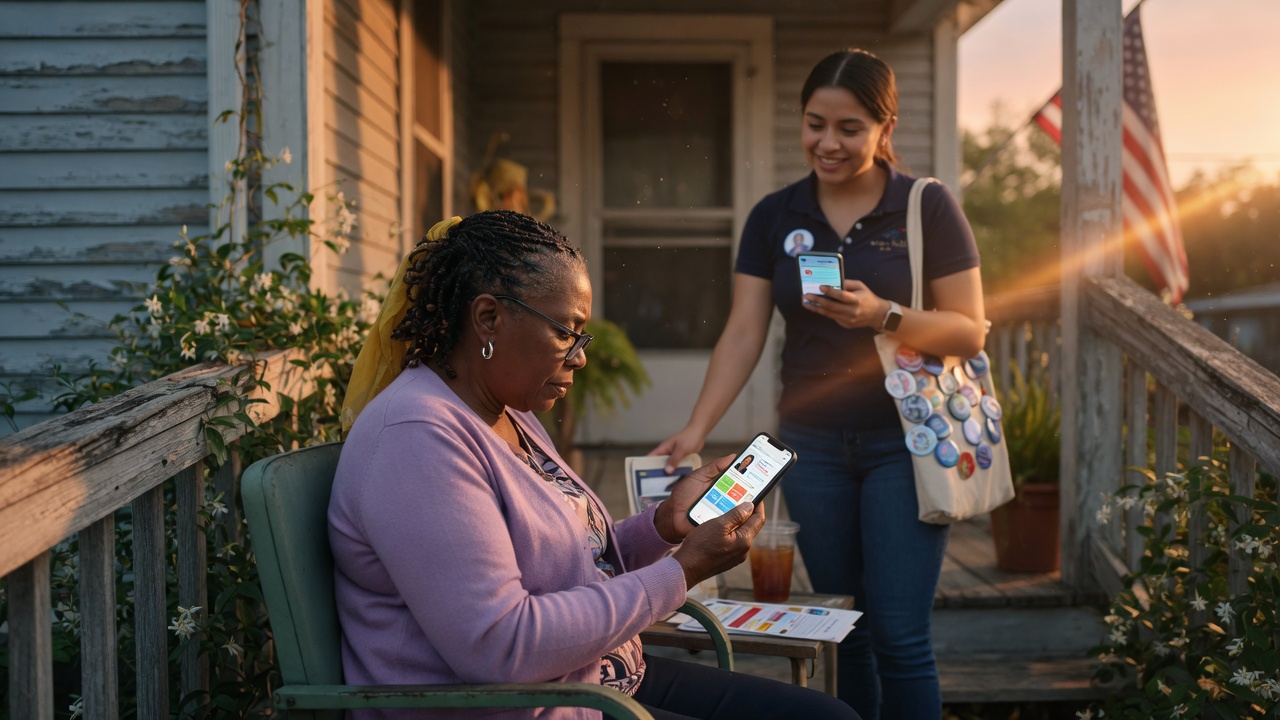
WhyIVote extends a FreeMessaging.ai SMS conversation into a mobile voter-facing experience where people can learn about the candidate, explore issues, ask questions, and continue engaging beyond a single text thread.
7 min read · Published September 6, 2026 · Updated September 11, 2026
Quick answer
WhyIVote extends a FreeMessaging.ai SMS conversation into a mobile voter-facing experience where people can learn about the candidate, explore issues, ask questions, and continue engaging beyond a single text thread.
In this article
- 1. What Is WhyIVote?
- 2. Why Connect WhyIVote to SMS?
- 3. What Does the Voter Experience Look Like?
- 4. How Does the Mobile Candidate Profile Help?
- 5. How Do Issue Pages and Voter Q&A Help?
- 6. How Does AI Fit In?
- 7. How Does the Voter CRM Fit In?
- 8. When Would a Campaign Use WhyIVote?
- 9. Does Every Message Need a WhyIVote Link?
- 10. How Is Candidate Information Approved?
- 11. Where Does WhyIVote Fit in Onboarding?
- 12. What This Means for Your Campaign
What Is WhyIVote?
WhyIVote is a voter-facing information and engagement experience that can work directly with FreeMessaging.ai. It gives campaigns a mobile-first place to present candidate information that is difficult to communicate fully inside a short text message.
A WhyIVote candidate experience can include:
- Candidate biography, office, district, and campaign background.
- Campaign-approved priorities, issue positions, and policy explanations.
- Mobile-friendly issue pages that voters can explore from a text message.
- Voter questions and campaign-approved answers.
- Links and calls to action that support the campaign messaging program.
Why Connect WhyIVote to SMS?
SMS is strong at getting attention and starting a conversation, but it is not always the best place to explain a candidate, a policy position, or a complicated issue in depth. WhyIVote gives an interested voter somewhere useful to go next.
The campaign can keep the initial message concise while giving voters who want more information a deeper, mobile-friendly candidate experience.
What Does the Voter Experience Look Like?

A typical FreeMessaging.ai + WhyIVote journey can look like this:
- The campaign sends a concise SMS for voter outreach, an event, volunteer recruitment, fundraising, issue education, or GOTV.
- The voter replies, clicks a WhyIVote link, or both.
- The voter can view the candidate profile, read issue information, or explore campaign-approved answers.
- If the voter asks a question, AI or campaign staff can respond using approved campaign knowledge and escalation rules.
- Relevant interest, questions, supporter signals, or follow-up needs can be captured in the voter CRM where the workflow supports it.
How Does the Mobile Candidate Profile Help?
A mobile candidate profile gives SMS recipients a fast way to understand who the candidate is without requiring the campaign to send a long sequence of texts. The profile can organize the candidate biography, priorities, key issues, and other approved information into a format designed for a phone screen.
This is especially useful for voters who recognize the campaign message but do not yet know much about the candidate. Instead of asking the voter to search the web or navigate a full campaign website, the SMS can take the voter directly to a focused candidate experience.
How Do Issue Pages and Voter Q&A Help?
Campaigns often receive the same questions repeatedly: What does the candidate think about a local issue? What is the candidate’s background? What is the plan on a specific policy? WhyIVote can provide campaign-approved information for those recurring questions.
The goal is consistency. Rather than leaving useful answers inside one-off text threads, the campaign can build approved issue content and Q&A that can be reused across SMS conversations and voter follow-up.
How Does AI Fit In?
AI and WhyIVote play different roles. AI helps FreeMessaging.ai classify replies, recognize voter intent, use campaign-approved knowledge for routine answers, and route conversations that need staff attention. WhyIVote gives the voter a deeper place to learn and interact.
How Does the Voter CRM Fit In?
When the messaging program is designed to capture engagement signals, activity from the SMS conversation and relevant WhyIVote interactions can inform campaign follow-up. For example, the CRM may record that a voter asked about a particular issue, requested more information, expressed volunteer interest, or needs a staff follow-up.
The exact data captured depends on the campaign-approved workflow, available integrations, and applicable data rules. WhyIVote does not replace the campaign voter file or system of record; it can add useful voter-facing engagement to the broader FreeMessaging.ai workflow.
When Would a Campaign Use WhyIVote?
WhyIVote can be incorporated when deeper voter information supports the objective of the messaging program. Common examples include:
- Candidate introduction - give voters an easy way to learn who the candidate is.
- Issue education - move from a short SMS to a fuller campaign-approved issue explanation.
- Recurring voter questions - provide consistent information that can be reused across conversations.
- Event or volunteer follow-up - give interested voters additional campaign information after they respond.
- GOTV and voter education - connect messaging with useful candidate or election-related information where appropriate.
Does Every Message Need a WhyIVote Link?
No. WhyIVote should be used when it improves the voter journey and supports the messaging objective. A simple event reminder or operational follow-up may not need a candidate-profile link. A candidate introduction, issue-education message, or voter question may benefit much more from it.
The decision is made during Step 7 - Design Messaging Programs, when the campaign defines the audience, objective, message flow, AI rules, WhyIVote destinations, CRM capture, and follow-up actions.
How Is Candidate Information Approved?
The candidate knowledge base built during onboarding is the foundation for both AI-assisted answers and WhyIVote content. The campaign provides or approves the candidate biography, issue positions, FAQs, policy explanations, and other content that may be used in voter-facing communication.
FreeMessaging.ai organizes the approved knowledge and uses it according to the campaign-defined workflow. If information is not approved or a question falls outside the knowledge base, the workflow should escalate rather than invent an answer.
Where Does WhyIVote Fit in Onboarding?
WhyIVote is connected primarily through three onboarding steps:
- Step 6 - Build the Candidate Knowledge Base: organize the approved candidate background, policies, issues, and FAQs.
- Step 7 - Design Messaging Programs: decide where the mobile candidate profile, issue pages, or Q&A should be used in the voter journey.
- Step 8 - Launch & Manage Conversations: send the approved messages, route voters to WhyIVote where appropriate, handle replies, and capture follow-up signals.
What This Means for Your Campaign
FreeMessaging.ai does not have to treat SMS as an isolated communication channel. By combining SMS, AI-assisted conversation handling, WhyIVote voter-facing content, and the voter CRM, the campaign can create a more complete path from first contact to informed engagement and follow-up.
The purpose is not to add more complexity. It is to let a short text do its job - get attention and start the interaction - while giving interested voters an easier way to learn more and giving the campaign better information for what should happen next.